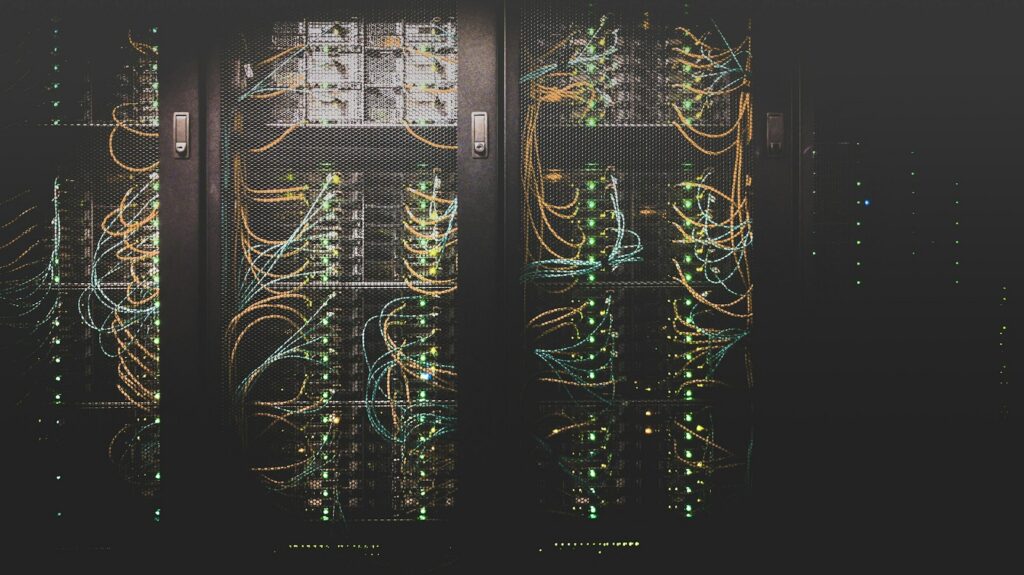
A self-hosted LLM is a large language model running on hardware you control, in your office, your data center or your own cloud account, instead of through a vendor’s API. Two years ago that meant research-grade effort. Today it is a weekend for a small model and a planned project for a serious one. This guide covers what you need to know before deciding.
Key takeaways
- Open-weight models from Meta, Mistral, Qwen and others are good enough for most business tasks: summarizing, drafting, extraction, search over your documents.
- The model size you can run is set by GPU memory. Quantization lets a larger model fit in less memory with a small quality cost.
- Ollama is the quick way to start. vLLM is the way to serve many users at once.
- The running cost is mostly hardware and the people who look after it, not electricity.
- Self-hosting wins on privacy and predictable cost at steady volume. An API wins on the best possible quality and zero operations.
Why companies self-host
Three reasons come up in almost every conversation. Data cannot leave the company, because of contracts, regulation or simple caution. Cost at volume, because paying per token for a workload that runs all day adds up. And control, because a vendor can change or retire a model you built on. If none of these apply to you, an API is simpler. If one of them does, keep reading. We explain the privacy case in private AI on your own server.
Choosing a model
Open-weight models come in families and sizes, measured in billions of parameters. Smaller models are faster and cheaper to run and are fine for classification, extraction and short drafting. Larger ones reason better, follow longer instructions and handle more context, at the price of more memory and slower responses.
- Small, roughly 7 to 9 billion parameters. Runs on a single consumer GPU or a good laptop. Good for tagging, extraction, simple chat over documents.
- Medium, roughly 20 to 35 billion. Needs a workstation GPU or a modest server. Noticeably better at reasoning and following complex instructions.
- Large, 70 billion and above. Needs multiple data-center GPUs. Closest to the quality of the big API models.
Model names and leaderboards change monthly, so we will not list winners here. The method does not change: shortlist two or three models at the size your hardware allows, test them on your own tasks with your own documents, and pick on results. Most business tasks are won by a medium model with good retrieval, not by the largest model. See RAG or fine-tuning for why.
Hardware: it is about memory
The question is not how fast the GPU is. It is how much memory it has, because the whole model has to fit. As a rule of thumb, a model needs about two bytes of GPU memory per parameter at full precision, and roughly half to a quarter of that when quantized to 8 or 4 bits. Quantization shrinks the model with a small loss in quality, and it is how most teams run a larger model on smaller hardware.
| Setup | What it runs well | Who it suits |
|---|---|---|
| One consumer GPU with 24 GB of memory | Small models at full precision, medium models quantized | A pilot, a small team, an internal assistant |
| One workstation or server GPU with 48 to 80 GB | Medium models at full precision, large models quantized | A department, a customer-facing assistant with moderate traffic |
| Several data-center GPUs | Large models, many concurrent users | A company-wide deployment or a product |
| Apple silicon with unified memory | Small and medium models for one user | A developer laptop, a demo |
You can also rent the same GPUs by the hour in your own cloud account. That keeps the data in your environment and avoids buying hardware before you know the demand. Many of our clients start there and move to owned hardware once the workload is steady.
Serving software
The model is a file. Something has to load it and answer requests.
- Ollama is the easiest start: one command, a local API, good for a single user or a pilot.
- vLLM is built for serving many users at once, with far higher throughput on the same GPU. This is what we use for anything customer-facing.
- llama.cpp runs quantized models on CPUs and smaller GPUs, useful at the edge or on modest hardware.
- Open WebUI gives your staff a ChatGPT-style interface over any of the above, with users, history and document upload.
Around the model you still need the normal parts of a system: authentication, usually through your single sign-on, document ingestion and retrieval, an audit log, monitoring, backups and updates. That is where most of the project time goes.
What the cost is made of
We do not publish prices, and hardware prices move too fast to print, but the shape of the cost is stable:
- Hardware or GPU rental. The largest line. Owned hardware is a one-time cost that pays off at steady use. Rented GPUs cost by the hour and suit bursty or uncertain demand.
- Setup. Choosing and testing models, serving software, retrieval over your documents, SSO, logging and the interface.
- People. Someone has to update models, patch servers and watch the monitoring. This is the cost companies forget.
- Electricity and space. Real but small next to the above, unless you run many GPUs.
Compare this with an API, where you pay per token with no setup and no operations. At low or unpredictable volume the API is cheaper. At steady, all-day volume the self-hosted setup usually wins within the first year, and the privacy argument does not depend on volume at all.
When an API is still the right answer
- You need the very best quality on hard reasoning tasks and the data is not sensitive.
- Your volume is low or spiky.
- You have nobody to operate a server, and do not want to hire or contract for it.
- You are still finding out whether AI helps at all. Prove the value on an API first, then self-host the workload that stuck.
A sensible first project
Pick one task with clear value and private data: searching contracts, summarizing support tickets, drafting replies from your knowledge base. Rent a GPU in your own cloud account, run a medium model with retrieval over the relevant documents, give five people access through a chat interface, and measure for a month. Then decide on hardware. This is the shape of most of the private AI pilots we run.
FAQ
Can a self-hosted model match ChatGPT?
For focused business tasks with good retrieval over your own documents, a medium open-weight model is usually good enough that users stop noticing. For open-ended hard reasoning, the largest API models are still ahead.
Do we need a data center?
No. A single server in a rack, a workstation under a desk, or GPUs rented in your own cloud account all work. The data stays in your environment either way.
Is fine-tuning necessary?
Rarely. Retrieval over your documents solves most of what people hope fine-tuning will. Fine-tuning is for a consistent style or format on a narrow task, and it comes later.
Who maintains it?
Someone must. Your IT team with a runbook, or a maintenance plan with an engineer who checks it weekly and updates models when they are worth updating.
Next step
If you want to know what your workload would need, tell us the task and the documents involved. Our Private AI team will reply with the model size, the hardware and the setup we would start with, and whether an API would serve you better for now.
 38 View(s)